Built for Sri Lanka · Live on the App Store

Your money.
Finally making sense.

Snap a receipt or paste a bank SMS — Kasi's AI logs it, sorts it and shows you exactly where your rupees went. Budgets, income and a private AI assistant, all in LKR.

Free to start No bank login needed Android coming soon
🧾Receipt scannedKeells Super · Rs 4,820
Kasi app home screen showing this month's balance, spending and recent expenses
⚠️Budget alertFood budget at 82%
✦Kasi AdvisorFuel down 18% vs last month

Understands the receipts and bank alerts you actually get

Keells SuperCargills Food CityArpicoGlomarkDialogSLT-MobitelCEBCeypetcoLanka IOCPickMeUberCommercial BankSampath BankHNBBOCPeople's Bank
See it read

From crumpled receipt
to clean expense.

Pick an input and watch Kasi pull out the merchant, every item, the total and the category. You just glance and confirm.

Extracted by Kasi AIReading…
Merchant—
Category—
    TotalRs 0.00
    Everything in one app

    Built for the realities
    of local spending.

    From supermarket slips to CEB bills and bank alerts — Kasi turns the paper and messages you already get into a clear picture of your money.

    AI receipt scanning

    Point the in-app camera at any receipt — Keells, Cargills, Arpico, a pharmacy slip or a CEB bill. Kasi reads the merchant, line items, quantities and total. Long receipt? Take a few photos and repeated lines are removed for you.

    Line items & quantitiesAuto categoryMulti-photo receipts
    Kasi scan receipt screen

    Bank SMS auto-parsing

    Never enter bank credentials. Paste the debit alert your bank already sends you and Kasi pulls out the amount, merchant and card.

    "Your A/C *1042 debited LKR 2,450.00 at DIALOG AXIATA…"
    ✓ Dialog · Bills · Rs 2,450

    Budgets that warn you

    Set limits per category and get a heads-up before month-end surprises.

    Food82%
    Fuel54%

    Income & real balance

    Log salary and side income to see what's actually left each month.

    Insights & charts

    See your month by category, trend and merchant.

    • Groceries 38%
    • Bills 24%
    • Transport 18%

    Offline-first, private by design

    Your expenses live on your phone and work with no signal. Pro adds encrypted cloud backup so a new phone doesn't mean starting over.

    Works offlineSaved on your deviceEncrypted backup (Pro)

    Smart reminders & Advisor tips

    Daily and weekly nudges, budget alerts, and Kasi Advisor tips that spot where your spending changed this month.

    Daily reminderWeekly summaryAdvisor tips (Pro)
    Live demo

    Try Kasi
    right here.

    The real app's screens, rebuilt for the web and running in your browser with sample data. Nothing is uploaded and nothing is saved.

    • 01
      Scan a receiptTap the centre button → Scan Receipt → shutter. A demo receipt becomes a reviewed expense.
    • 02
      Paste a bank SMSPaste Text pulls the merchant, amount and category out of a Sri Lankan bank message.
    • 03
      Ask Kasi AITap the robot. Ask what you spent on food, or say “Log Rs 800 for kottu”.
    • 04
      Fix a budgetInsights flags over-budget categories, and one tap raises the limit.

    In the app, Gemini reads your receipts and SMS. In this demo those steps are simulated.

    Loading demo…
    Ask Kasi AI · Pro

    Just ask.
    In plain English
    or Singlish.

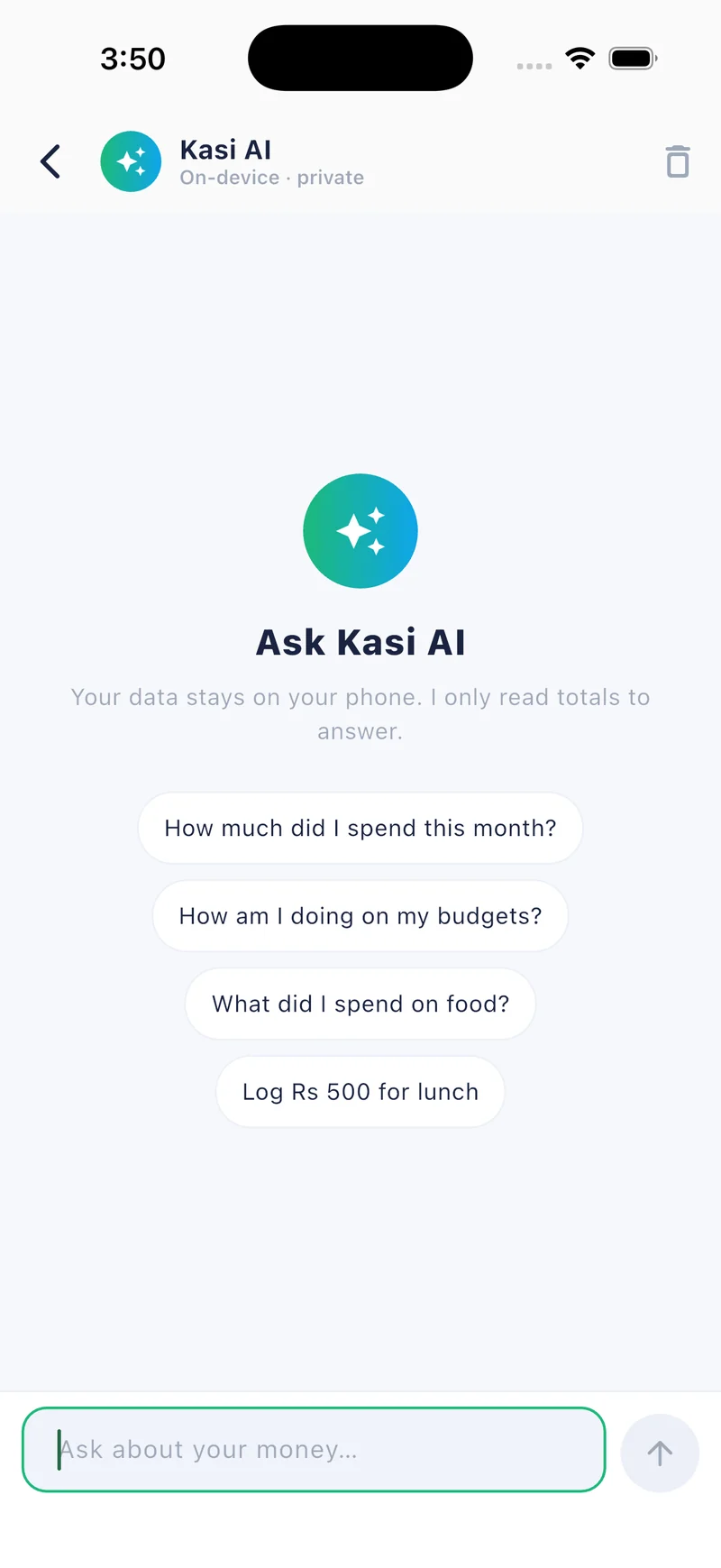
    No pivot tables. Ask about your spending the way you'd ask a friend — Kasi answers from your own expenses and can log new ones for you.

    🤖
    Kasi AIAnswers from your own expenses
    How it works

    From receipt to insight
    in three taps.

    01

    Scan or paste

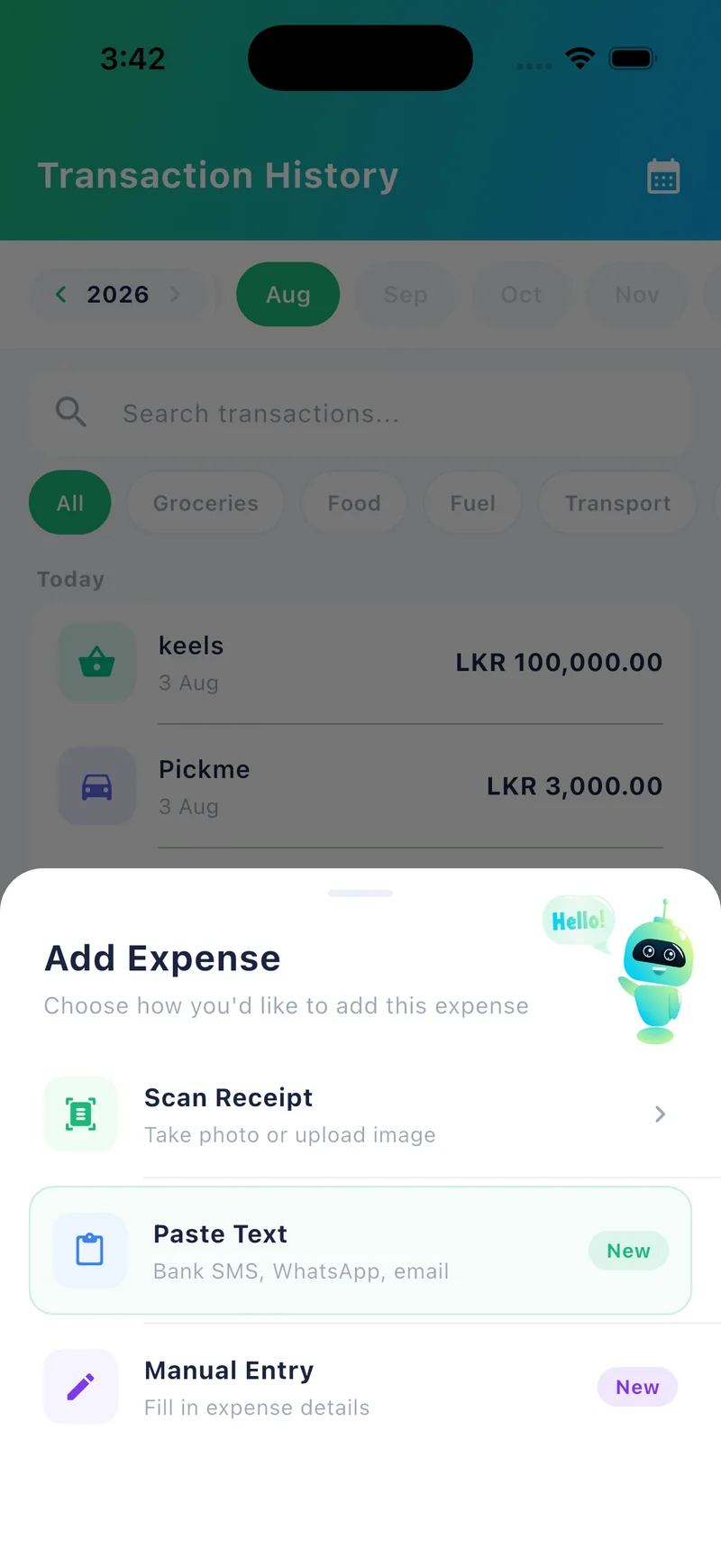
    Point your camera at a receipt, pick a photo, or paste a bank SMS alert.

    Kasi add expense screen
    02

    AI extracts every detail

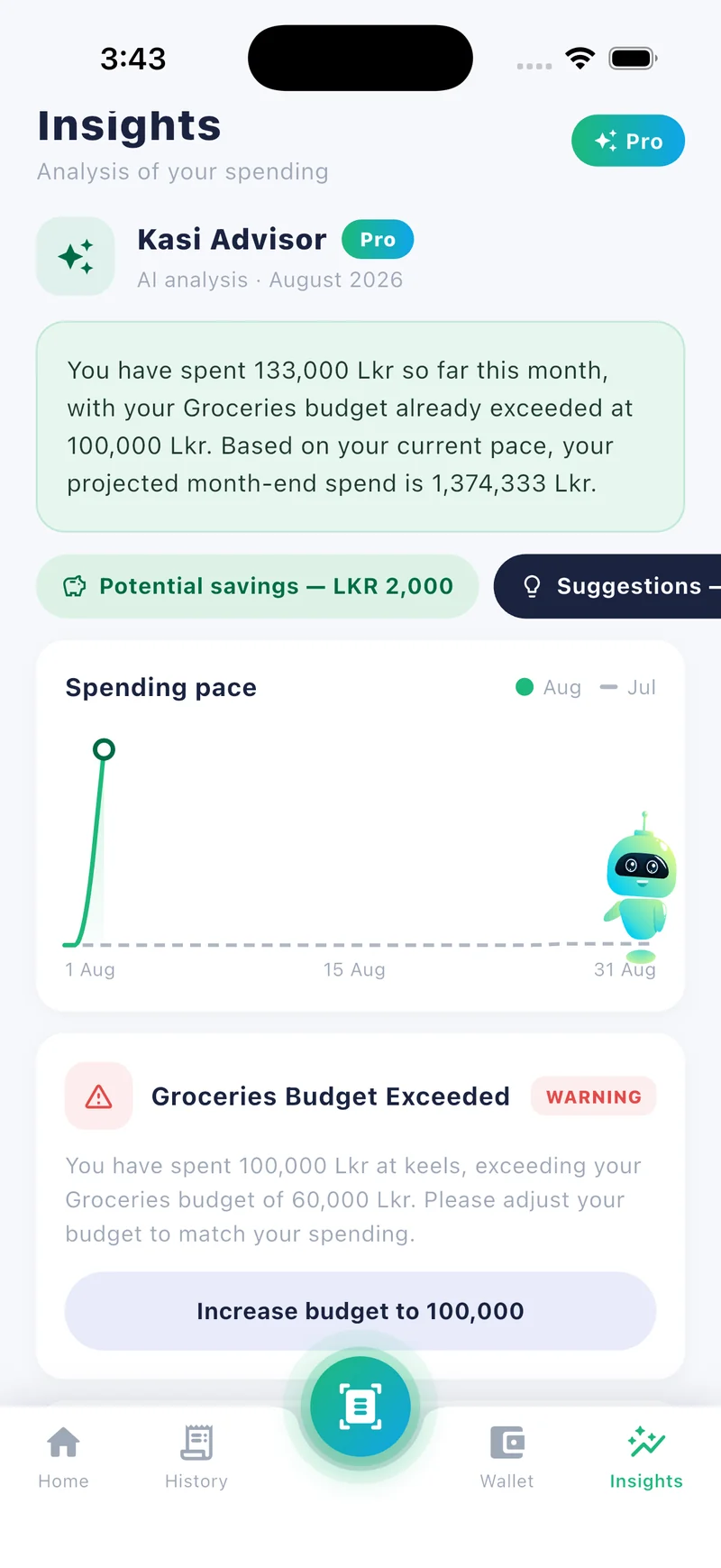
    Merchant, items, total and category are filled in — you review and confirm.

    Kasi insights screen
    03

    Stay on budget

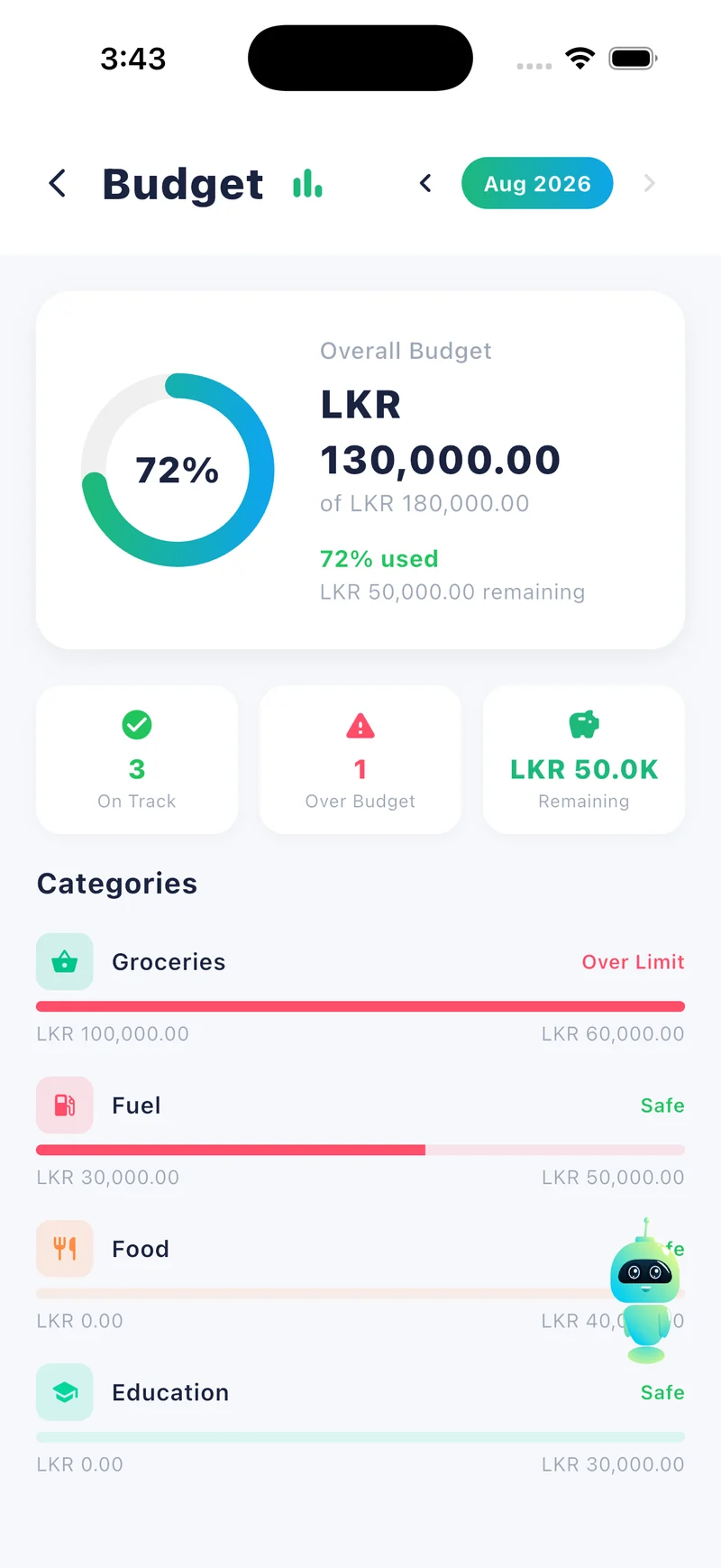
    Budgets, insights and your real balance update instantly.

    Kasi budget screen
    Small leaks add up

    What could you
    keep each year?

    Move the slider to your usual monthly spending, then pick how much you think you could trim once you can see it.

    Rs 120,000
    Rs 20,000Rs 500,000
    Per monthRs 6,000
    Per yearRs 72,000

    An illustration, not a promise — what you save depends on you. Kasi Pro costs Rs 4,900 a year.

    Simple pricing in rupees

    Start free.
    Upgrade when you're ready.

    Everything you need to track your daily rupees is free. Pro unlocks 250 AI scans a month, the AI assistant and cloud backup.

    MonthlyYearly2 months free
    Free
    The essentials to track every rupee.
    Rs 0forever
     
    • 25 AI scans / month (receipts & bank SMS)
    • Expenses, income & balance tracking
    • Budgets & category charts
    • Works offline, saved on your phone
    • Ask Kasi AI & Kasi Advisor
    • Encrypted cloud backup
    Download free
    MOST POPULAR
    Pro
    The full power of AI expense tracking.
    Rs 490/ month
    or Rs 4,900 / year
    • Everything in Free
    • 250 AI scans / month
    • Ask Kasi AI — chat with your money
    • Kasi Advisor personalised tips
    • Encrypted cloud backup & restore
    Get Kasi Pro

    Billed through the App Store · Cancel anytime in your Apple ID settings.

    Got questions?

    Frequently asked.

    Do I have to type in every single expense?+
    No — that's the point of Kasi. Point your camera at a receipt, or paste an SMS alert from your Sri Lankan bank. The AI pulls out the merchant, line items and total and picks a category in seconds. You glance and tap confirm.
    Does it work in Sri Lankan Rupees (LKR)?+
    Yes. Kasi was designed for Sri Lanka — the currency, the default categories (CEB electricity, water board, telecom, fuel, groceries) and the AI's vocabulary are tailored to local spending.
    Does Kasi connect to my bank account? Is it safe?+
    No. Kasi never asks for your bank passwords or account credentials. You paste the debit SMS alerts your bank already sends you (Commercial Bank, Sampath, HNB and others). Your expenses are stored on your device, with optional encrypted cloud backup on Pro.
    Can I scan a really long receipt?+
    Yes. Take the receipt in a few photos, top to bottom, with a little overlap. Kasi reads them together as one receipt and removes lines that appear in two photos.
    Can I use Kasi without an internet connection?+
    Yes. Kasi is offline-first: you can record expenses, check balances and review budgets with no connection. AI scanning needs internet, and everything syncs once you're back online.
    What's the difference between Free and Pro?+
    Free gives you 25 AI scans a month for receipts and bank SMS, plus manual logging, budgets and charts. Pro raises that to 250 AI scans a month and adds Ask Kasi AI, Kasi Advisor tips and encrypted cloud backup — Rs 490/month or Rs 4,900/year.
    Is Kasi on Android?+
    Kasi is on the Apple App Store now. The Android version is coming soon to Google Play.
    Free on the App Store

    Take control of
    your rupees today.

    Join people across Sri Lanka who finally know where their money goes — without typing in every expense.

    Ask Kasi AI chat screen
    Get Kasi — Free